Before
Illustrative: Agent: “Should I start?”
 xout
xout
Tired of repeating the same instructions? Cross out the coding-agent behavior you dislike; xout turns your choices into readable rules for Claude Code, Codex, and other supported tools.
15 choices · 8 behavior axes · one portable rules file
Local session. No API key. Review before applying.
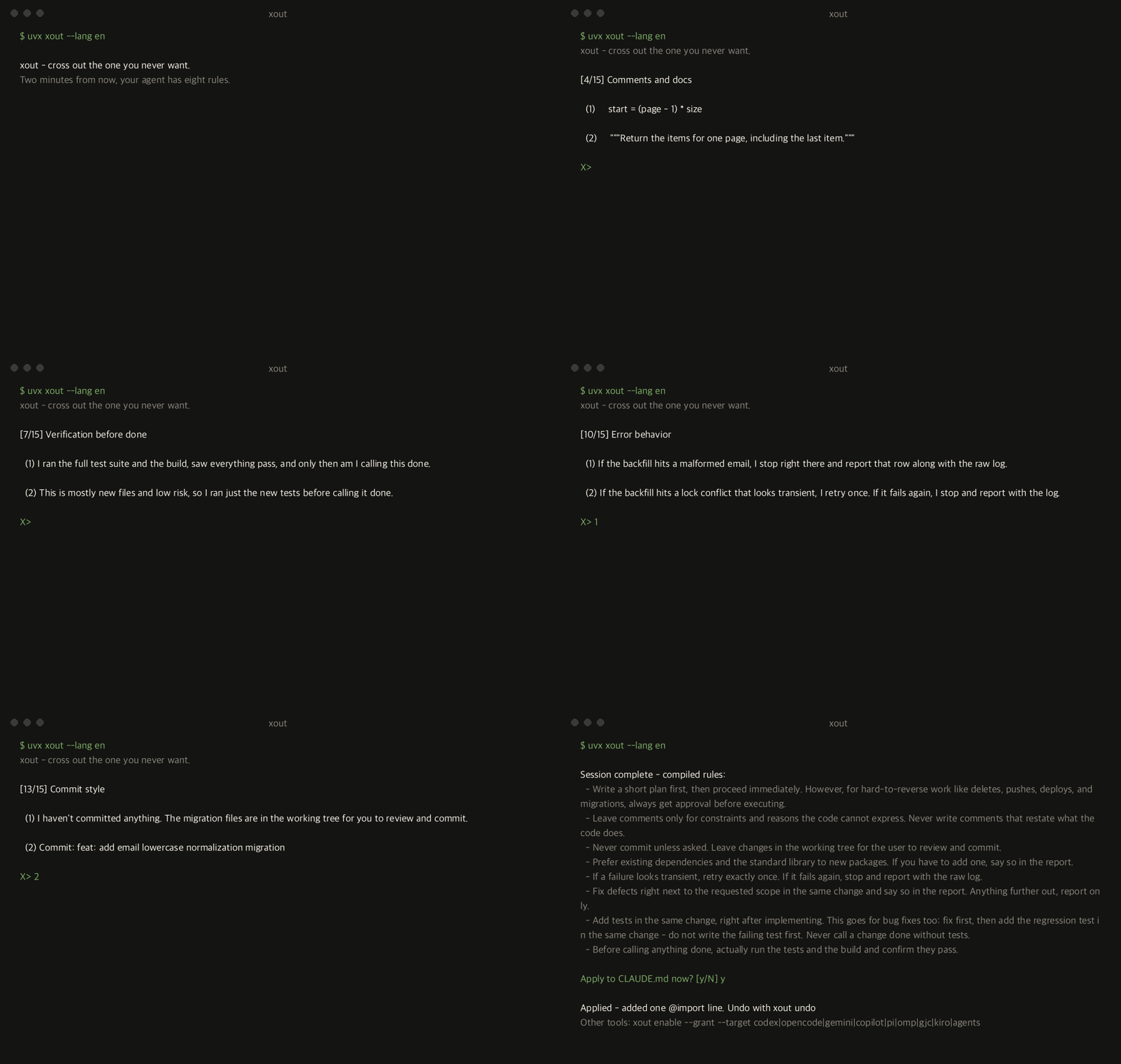
uvx xout open --lang en
Compare the same request before and after you choose and enable a rule. The after text is illustrative: an agent can still diverge.
Illustrative: Agent: “Should I start?”
Illustrative: “Fixed. Tests pass. Here is what changed.”
Portable Markdown rules connected to a selected target through an xout-owned line or block.
The evidence and source behind every rule.
A proposal to review; until you explicitly grant a target, external instruction files are untouched.
After review, grant one target with --grant; xout records consent and adds only its owned line or block. Undo removes xout-owned additions.
Eight behavior axes: autonomy, scope, tests, comments and docs, error handling, commits, verification, and dependencies. Different choices in routine and hard-to-reverse scenes can add a condition to a rule.
These pairs are illustrative examples, not a promise about every agent response.
Illustrative example: the input is “Fix the bug.” One possible response is “Should I start?” and another is “Fixed. Tests pass.” Your choice is recorded as a draft such as “Act first on reversible changes; confirm first on irreversible ones.” A later session may respond “Fixed. Tests pass. Here is what changed.”
The storyboard is an illustrative example; the animation is decoration, not a behavior guarantee.
Crossed out
Kept
Illustrative after: fixes pagination, runs relevant tests, and reports the evidence.
The counter tracks catalog possibilities, not agent compliance. XOUT.md contains the rules; manifest.json records their evidence. Use xout why to trace a rule back to your choices.
Autonomy rule draft
Draft: Write a short plan first, then proceed. For hard-to-reverse work such as deletes, pushes, deploys, and migrations, ask for approval before executing.Review XOUT.md and its evidence in manifest.json, then run only the command for your tool. After pip install xout, use the commands below. Using uvx? Start each command with uvx xout instead of xout. --grant authorizes the selected target's owned line or block.
xout enable --grant --target codex --lang enxout enable --grant --target claude --lang enxout targets --lang enStatus checks installation, not obedience. Open a fresh agent session and repeat a small request to check the rule in practice. Optional xout probe uses an external runner and may incur provider charges.
xout status --lang enxout undo --lang enDownload the plugin ZIP, SHA256SUMS, and the verifier together. Check the checksums first, then extract into a fresh versioned directory.
python3 verify_checksums.py SHA256SUMS --only xout-plugin-1.1.0.zip verify_checksums.pytest ! -e "$HOME/.local/share/xout-plugin-1.1.0"python3 -m zipfile -e xout-plugin-1.1.0.zip "$HOME/.local/share/xout-plugin-1.1.0"Install the extracted package from your local marketplace.
claude plugin marketplace add "$HOME/.local/share/xout-plugin-1.1.0"claude plugin install xout@xout-marketplaceRun the session as a conversation: the agent shows each pair in chat, you pick the one to X, and it records only that choice. Review the generated files, then explicitly grant the import before checking status.
/xout:xout open/xout:xout enable/xout:xout statusYour files, your install, and your decision to turn a target on are yours.
The whole session runs in your terminal. It makes no model calls or remote requests and leaves no analytics trail.
Your choices are recorded in order; replaying the same ledger reproduces the same compiled artifacts.
Enable only after review and an explicit grant. Undo removes the xout-owned line or block, not unrelated content.
After a week, review whether the rules still fit. A surviving choice is not proof that a rule is correct or followed.